SHRED A BILLION Controls & Controller Layout: Keys, Prompts & Deck
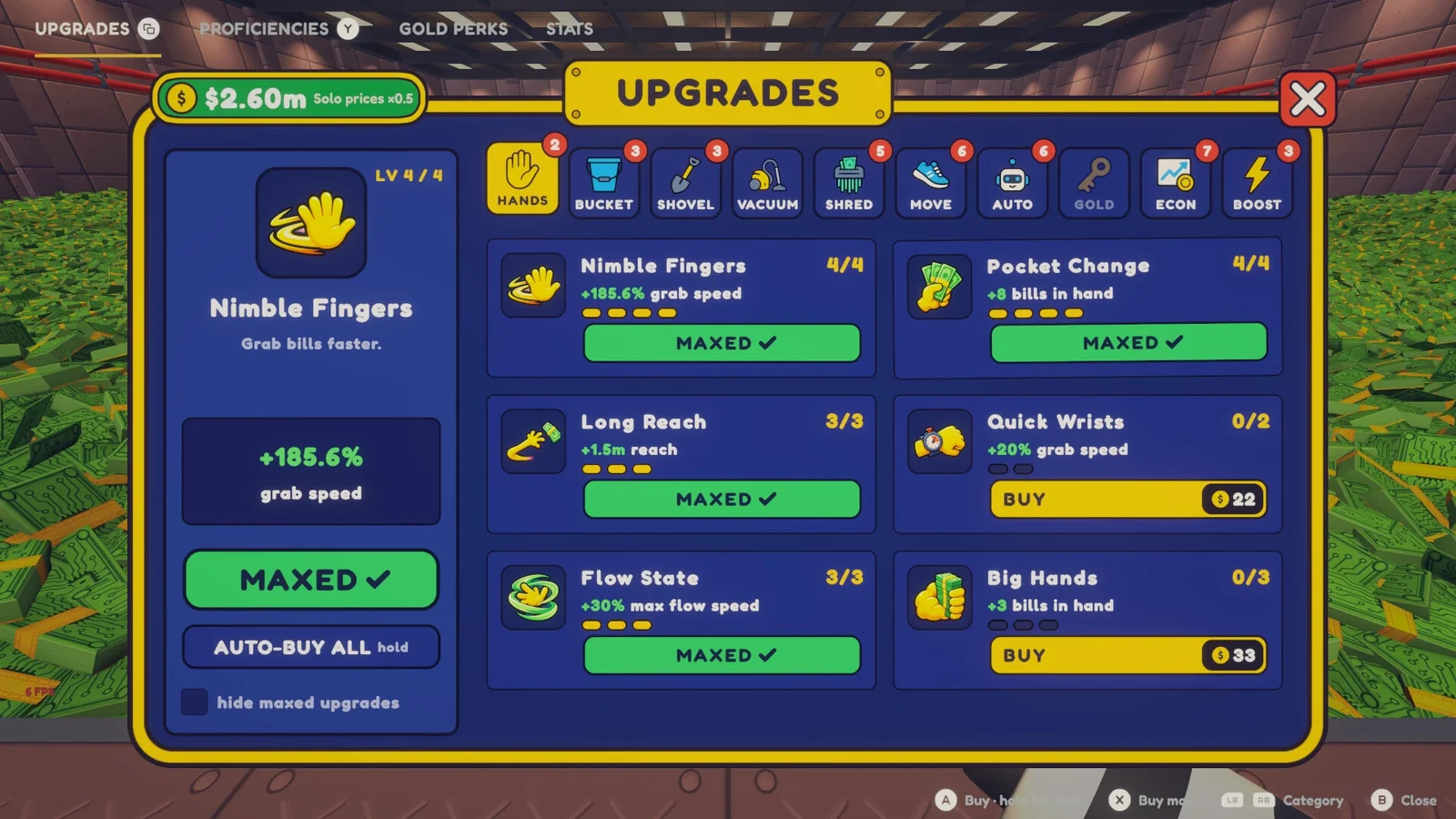
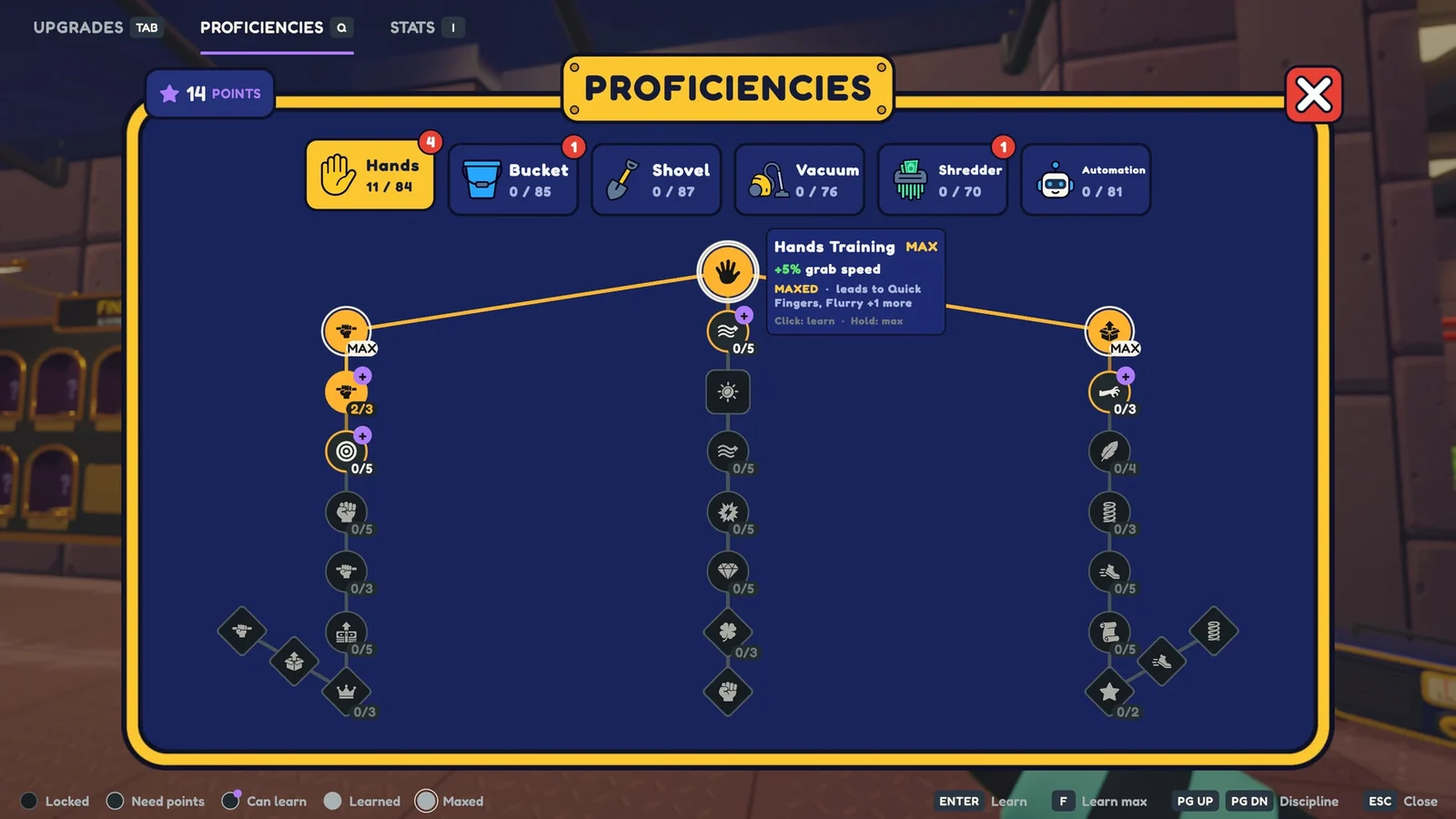
In-game keyboard shortcuts (TAB, Q, ENTER, F, F11), controller button prompts (A, X, LB/RB, B), and comfort settings.
Quick Answer
On PC keyboard, use 1–4 for tools, TAB for Upgrades, Q for Proficiencies, ENTER/F to learn skill nodes, and F11 for bug reports. On Xbox/DualShock/DualSense controllers, use A to buy, X to buy max, LB/RB to switch shop categories, and B to close menus.
Last updated 2026-11-26
This page covers keyboard, mouse, and controller support plus confirmed shortcuts and accessibility options. For platform availability, see Platforms: Mac, Console & Steam Deck; for framerate issues, see Performance Fix: Low FPS & Stutter.
Confirmed Input & Accessibility Features
According to the official Steam Store metadata and developer patch notes, SHRED A BILLION supports:
- Mouse & Keyboard: Standard first-person PC movement, camera look, tool usage, shop navigation, and text/voice chat.
- Full Controller Support: Playable start-to-finish on gamepad without reaching for a mouse, with explicit DualShock and DualSense support alongside XInput/Xbox controllers.
- F11 Bug Report Shortcut: Confirmed in the November 7, 2026 developer update for submitting bug reports directly from inside the vault.
- Comfort & Accessibility: Camera Comfort, Adjustable Text Size, Custom Volume Controls, Stereo Sound, and Playable without Timed Input.
Controller vs. Mouse & Keyboard: Which Feels Better?
- Mouse & Keyboard shines during rapid Vacuum sweeping, snapping onto scattered Golden Banknotes, and clicking quickly through the 100+ shop upgrade cards.
- Controller (DualSense / DualShock / Xbox) is ideal for relaxed couch-style PC sessions—especially once your autonomous drone fleet handles most of the precision pickup work.
Sources & Verification
- SHRED A BILLION on Steam (App ID 5472080) — Official store metadata, features, and system requirements (Checked: Nov 26, 2026)
- SHRED A BILLION Steam News Hub — Official developer announcements and day-one patch notes by xzeep (Checked: Nov 26, 2026)
- SteamDB — SHRED A BILLION — Release timeline and technical metadata (Checked: Nov 26, 2026)
First-Person Input Comfort
Frequently Asked Questions
Does SHRED A BILLION have full controller support?
Yes. Steam officially lists Full Controller Support, including DualShock and DualSense controller support.
What is the F11 key used for in SHRED A BILLION?
The developer's November 7, 2026 patch notes confirm F11 opens the built-in in-game bug reporting tool.
Are there camera comfort or accessibility settings?
Yes. Steam lists Camera Comfort, Adjustable Text Size, Custom Volume Controls, and Playable without Timed Input.